
Your 1099 Says Gross Rent. Your Owner Statement Says Net.
Your 1099 says $24,000.
Your property manager statement says $18,732 landed in your bank account.
Both numbers can be right. That is the annoying part.
The 1099 is usually the gross rent collected. The owner statement is the net payout after management fees, repairs, reserves, leasing charges, and whatever else got pulled before cash reached you. If you treat the bank deposit as your income, you can underreport rent. If you treat the 1099 as profit, you can miss deductions.
The number you need is not hiding in one document. It lives across three.
The 1099. The owner statement. The bank deposit.
Gross rent is the top line, not the cash
The clean way to read this is simple. Gross rent is what the property collected before the property manager took anything out.
Net payout is what reached you after the statement did its little monthly magic trick.
That magic trick has names.
Management fee. Maintenance. Reserve holdback. Lease renewal fee. Owner contribution. Utility reimbursement. Late fee. Make ready charge. Portal fee because apparently we are all funding somebody else’s software habit now.
A $24,000 1099 and an $18,732 bank deposit do not automatically mean someone made a mistake. It means $5,268 moved through the statement before the deposit hit your account.
The question is whether those movements are real, categorized correctly, and backed by evidence.
That is the work most owners skip.
Your owner statement is the translation layer
The owner statement should explain how gross rent became net payout.
Not vibes. Math.
Rent collected at the top. Every fee, repair, reserve move, and owner distribution in the middle. Net owner draw at the bottom. Then the bank deposit should match that bottom number, or the statement should explain why it does not.
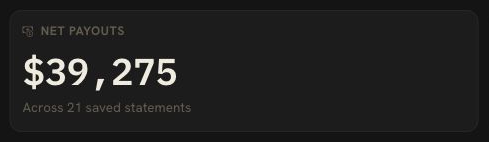
This is where investors who use PMs get punished by generic bookkeeping tools. The bank feed sees $18,732. The tax form says $24,000. The PDF has the explanation, but PDFs are where financial truth goes to take a nap.
DoorVault reads the PM statement line by line. Knox pulls out rent, fees, maintenance, reserves, and net payout. Then DoorVault ties that statement to the bank deposit and keeps the PDF filed to the right property.
You can still review it. You should. But you are reviewing the exception, not rebuilding the month from a PDF.
For the step by step version, use the property manager statement reconciliation guide.
Schedule E needs income and expenses, not panic
Schedule E does not ask for your feelings about the deposit.
It wants rental income and rental expenses in the right places.
That means the gross rent belongs in income. The management fee, repairs, supplies, taxes, insurance, mortgage interest, and other deductible items belong where they actually fit. Principal payments do not become expenses because the bank account was sad that month.
This is why the owner statement matters. It is not a receipt for cash received. It is the map from gross rent to the deductions that reduced your payout.
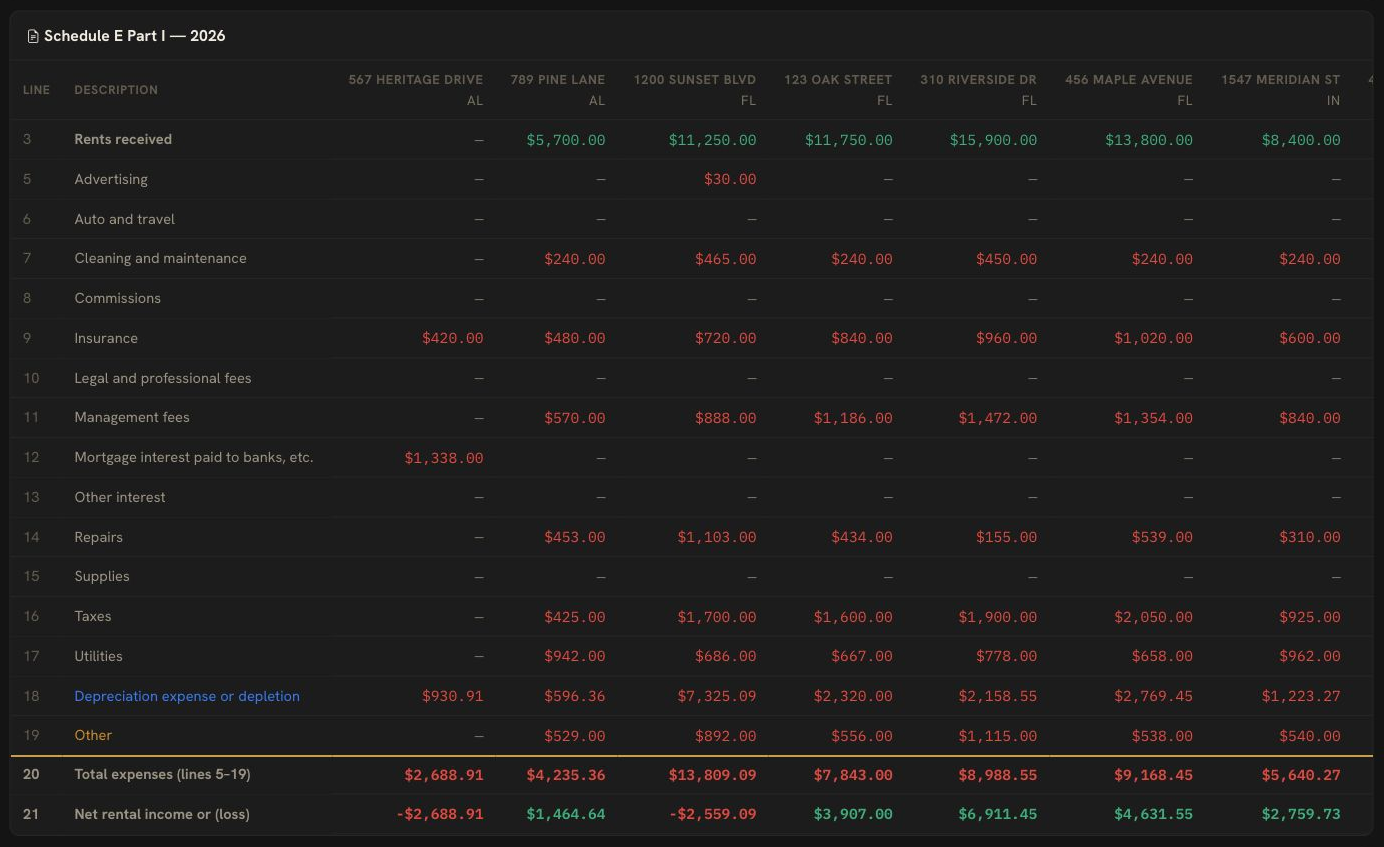
DoorVault turns those statement lines into property level books, then rolls clean data into Schedule E export. PM fees stay separate from repairs. Mortgage payments split into principal, interest, tax escrow, and insurance escrow. Documents stay attached so your CPA is not asking you in March what happened in June.
The boring part is the whole point.
The bank deposit is proof, not the whole story
The bank deposit proves cash landed.
It does not prove the PM statement was correct.
If the PM statement says the owner draw should be $18,732 and the bank shows $18,732, good. Now check the lines above it. Was a renewal billed like a new lease placement? Did a reserve top up absorb a $100 gap? Did a maintenance charge include a markup you did not approve? Did a late fee get reported but never reach your books?
Matching the net deposit is only the first pass.
The second pass is statement integrity.
DoorVault handles both. PM versus bank reconciliation checks the payout against the deposit. PM statement processing checks the lines that created the payout. Action Center surfaces the weird stuff so the question goes back to your PM while the month is still fresh.
That is the difference between tax cleanup and asset management.
Tax cleanup happens when the year is over and everyone is annoyed.
Asset management catches the mismatch when it happens.
The three number test
Here is the monthly check.
First, gross rent. What did the PM collect for the property or portfolio?
Second, net owner payout. What did the PM say they sent after fees, repairs, reserves, and other activity?
Third, delivered to bank. What actually hit your account?
If those three numbers do not connect, you do not have a tax question yet. You have a reconciliation question.
Run the free PM statement audit before the issue becomes a tax season archaeology project.
The quiet danger is not one big obvious error. It is twelve small months where nobody tied the 1099 to the owner statement to the deposit.
That is how owners end up with clean looking PDFs and messy books.
DoorVault is built for the investor who uses property managers. Forward the statement, upload the 1099, connect the bank feed, and Knox turns the month into evidence.
Start free. 2 properties. No credit card. → https://doorvault.app
FAQs
Is 1099 rental income gross or net?
For owners using property managers, the 1099 often reports gross rent collected before PM fees, repairs, reserves, and owner payouts. Your bank deposit is usually the net cash after those statement lines.
Should I report the 1099 number or the bank deposit?
Do not use the bank deposit alone as rental income. Reconcile the 1099 to the owner statement, then categorize the statement expenses correctly for Schedule E. Ask your CPA for tax advice on your exact filing.
Why does my owner statement not match my 1099?
The owner statement usually shows rent collected minus management fees, maintenance, reserves, and other charges. The 1099 may show gross rent before those reductions.
How does DoorVault help with this?
DoorVault reads PM statements, extracts every line item, ties the statement to the bank deposit, files the document, and turns the data into clean owner side books and Schedule E export.