
A property manager reserve account is not a savings account you can stop checking.
It is owner money sitting in someone else’s system. If the balance moves, you need the receipt, the reason, and the bank trail before the month gets filed under fine.
Reserve balances are boring.
That is why they leak.
The reserve is not the problem
Most property managers hold a reserve so they can handle small repairs, utility bills, lock changes, inspection fixes, and emergency work without waiting for an owner wire every time a faucet loses the will to live.
That part is normal.
A $500 or $750 reserve per property can be perfectly reasonable. A larger reserve can make sense for an older home, Section 8 inspection work, a turnover month, or a property with known deferred maintenance.
The problem is not that the PM holds money.
The problem is when the owner cannot answer five questions in 60 seconds.
- What was the opening reserve balance?
- What came out?
- Which invoice supports the draw?
- What got replenished?
- What is the closing balance now?
If those five answers live across a PDF, a portal, an email thread, and your memory, the reserve is not controlled yet.
It is parked.
Very official. Very foggy.
A clean reserve month has four witnesses
Here is the boring version that actually works.
Your PM starts June with a $750 reserve. A plumbing invoice hits for $430. The PM draws $430 from the reserve, then replenishes it from June rent so the closing reserve returns to $750.
That month should have four witnesses.
First, the owner statement should show the opening reserve, the draw, the replenishment, and the closing reserve.
Second, the invoice should exist and match the draw. Not “maintenance.” Not “repairs.” An actual vendor, date, scope, and amount.
Third, the owner payout should explain the cash movement. If the reserve was replenished from rent, the net payout should be lower by the right amount.
Fourth, the bank deposit should match the owner payout after every reserve movement and fee is accounted for.
One witness is a story.
Four witnesses are books.
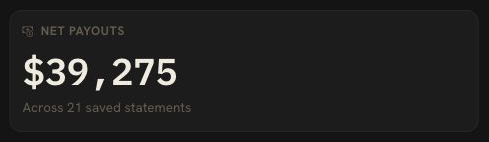
That is the standard DoorVault uses for PM managed owners. The statement is one source. The bank deposit is another. The documents and owner record have to agree before the month earns its little green check.
The amount is less important than the rule
Owners ask the wrong first question.
“How much should my PM hold in reserves?”
Fine question.
Not the first one.
The first question is: what rule makes this reserve move?
A reserve policy should state the target balance, what it can pay for, the approval threshold, when the PM must ask first, how replenishments happen, and what backup appears on the monthly statement.
A $500 reserve with a clean rule is better than a $2,500 reserve with mystery draws.
Here is a sane owner rule for many single family rentals:
- Target reserve: $500 to $1,000 per property
- PM can draw under the repair approval threshold
- Every draw needs invoice backup
- Every replenishment shows as a separate line
- Reserve balance appears every month, even when nothing changed
- Anything above the threshold waits for owner approval
That rule will not make plumbing cheaper.
It will make the cash trail harder to blur.
Reserve top ups are not income
This is where bookkeeping gets weird fast.
If you send your PM $750 to fund a reserve, your property did not earn $750.
If your PM withholds $430 from collected rent to refill the reserve, your property did not spend a second $430 on top of the original invoice.
And if your statement shows a reserve draw, that draw is not automatically a deductible repair. The invoice decides what happened. A small repair, a capital improvement, a tenant chargeback, or an owner contribution can all pass through the same reserve bucket.
The label is not the truth.
The source document is.
DoorVault keeps those lanes separate. Knox reads the PM statement, identifies reserve movements, ties the line to the property, and keeps owner funding out of rent and NOI. If the support is missing, the item waits for review instead of quietly becoming a clean month.
That matters at tax time, but it matters before tax time too.
Bad reserve math can make a property look weaker than it is, stronger than it is, or just unreadable.
Unreadable is the usual setting.
Your PM portal is still only one witness
A portal sync is useful.
It is not a magic clean bill of health.
DoorVault Connect can pull supported PM owner portal records into your DoorVault account when you ask it to sync. That helps because statements, bills, disbursements, and property records can land in the same owner side system instead of living behind one more login.
But synced portal data still needs proof.
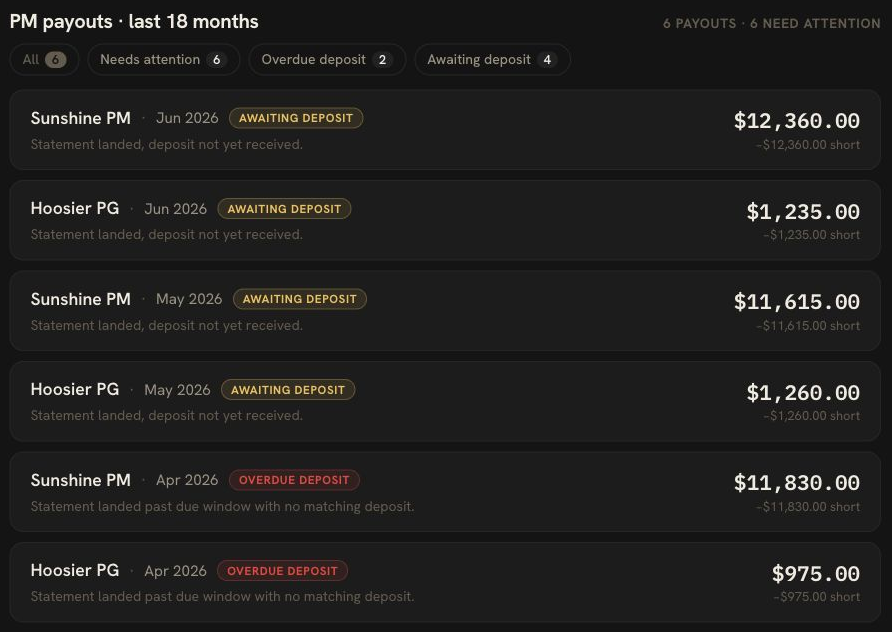
The reserve movement should tie to the statement. The statement should tie to the payout. The payout should tie to the bank deposit. The invoice should tie to the repair. The property record should know whether the money was an expense, owner funding, a capital item, or a reserve transfer.
That is the owner side job.
Your PM runs the property.
You still need the asset record to tell the truth.
For the broader owner statement workflow, use the property manager statement reconciliation guide. If the reserve issue started with a large repair approval, pair this with the repair approval threshold checklist.
DoorVault watches the reserve trail
The old workflow is familiar.
Download the owner statement. Check the reserve line. Search for the invoice. Open the bank account. Compare the deposit. Ask the PM why the payout is short. Save the answer somewhere you will absolutely forget by next month.
“I’ll clean it up later.”
Sure you will.
In DoorVault, the reserve trail belongs to the same owner system as the rest of the portfolio.
Forward any property email, upload the owner statement, or sync a folder. Knox reads the PM statement, files the document to the right property, proposes the bookkeeping, and flags items that need a human decision. PM vs Bank reconciliation compares the payout on the statement with the deposit that actually landed. Money Audit keeps the evidence in one place. Action Center surfaces the exception when a reserve draw has no backup, a payout is short, or a replenishment does not explain itself.
The point is not to make you love reserves.
Nobody loves reserves.
The point is to stop a quiet line item from becoming a quarterly cash flow shrug.
FAQ: property manager reserve accounts
Why would a property manager have a reserve account?
A PM holds a reserve so routine property costs can be paid quickly without asking the owner for funds every time. Common uses include small repairs, inspection fixes, utilities, emergency work, and turnover items under the approval threshold.
The owner still needs a monthly trail. Opening balance, draw, invoice, replenishment, and closing balance should all be visible.
How much should a property manager reserve be?
For many single family rentals, $500 to $1,000 per property is a common starting range. Older properties, Section 8 inspection work, heavy turnover risk, and larger repair thresholds may justify more.
The better question is whether the reserve has a written rule and monthly proof.
What should a reserve fund cover?
It should cover the costs your PM agreement allows the manager to handle without a separate owner transfer. Usually that means routine maintenance, small emergency work, and approved property expenses.
It should not become a vague bucket for anything the statement cannot explain.
What does 3 months of reserves mean?
In rental investing, 3 months of reserves usually means enough cash to cover three months of property expenses, mortgage payments, or operating costs if rent is interrupted.
A PM held reserve is narrower. It is usually a working repair or operating reserve held by the manager, not your whole portfolio emergency fund.
Do not close the month on a mystery balance
A reserve balance is not proof.
A reserve balance with invoices, payout math, bank match, and a clean owner record is proof.
That is the standard.
DoorVault keeps the statement, documents, bank deposit, and property record tied together so you can review exceptions instead of rebuilding the month from PDFs.
Free for 30 days. Everything unlocked. No credit card. https://doorvault.app